Step by step
Screenshots are from the Intesa app on an iPhone, October 2026. The app is in Serbian; the English meaning is in brackets. On Android the screens can look a little different, but the buttons are the same. Numbers and names in the screenshots are hidden.
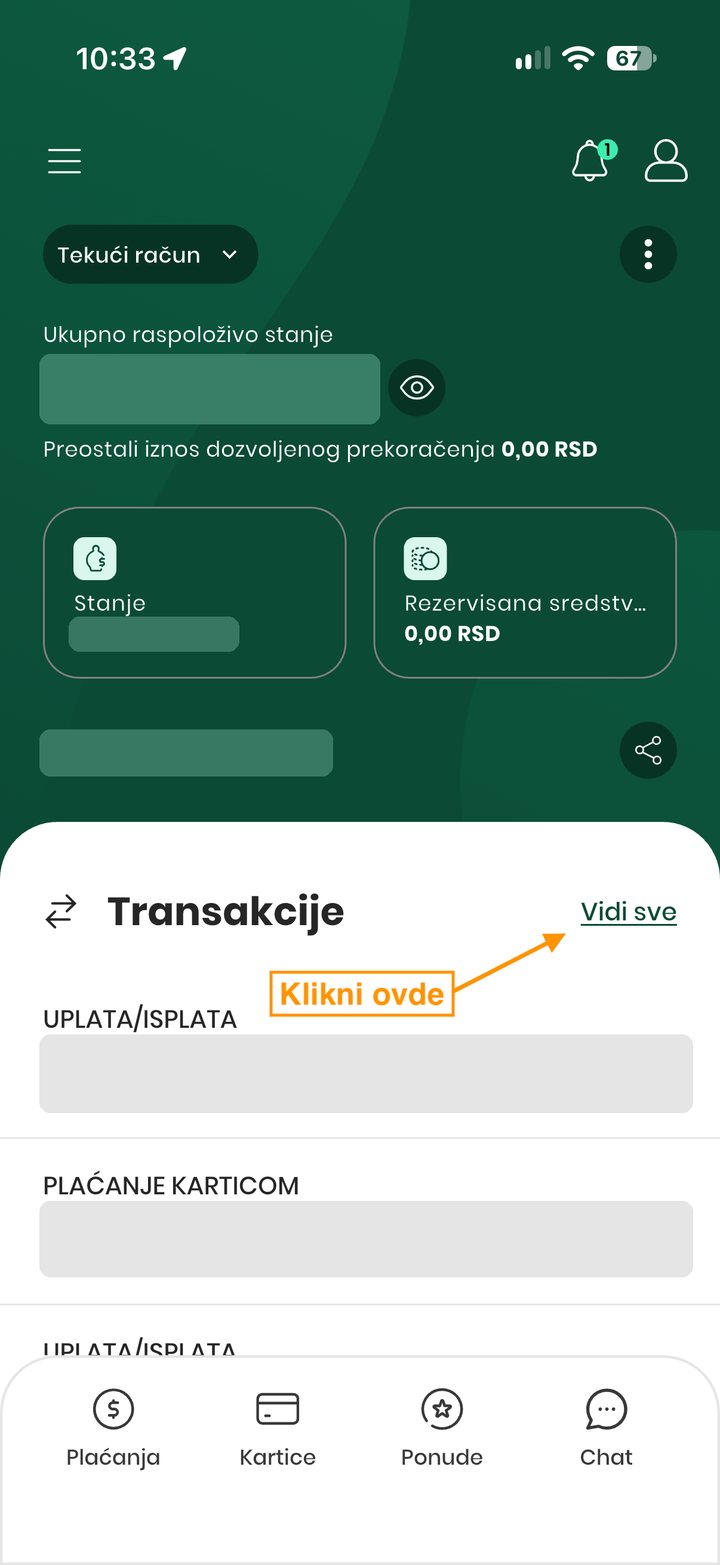
Open the Intesa app. On the home screen, next to Transakcije (transactions), tap Vidi sve (see all).
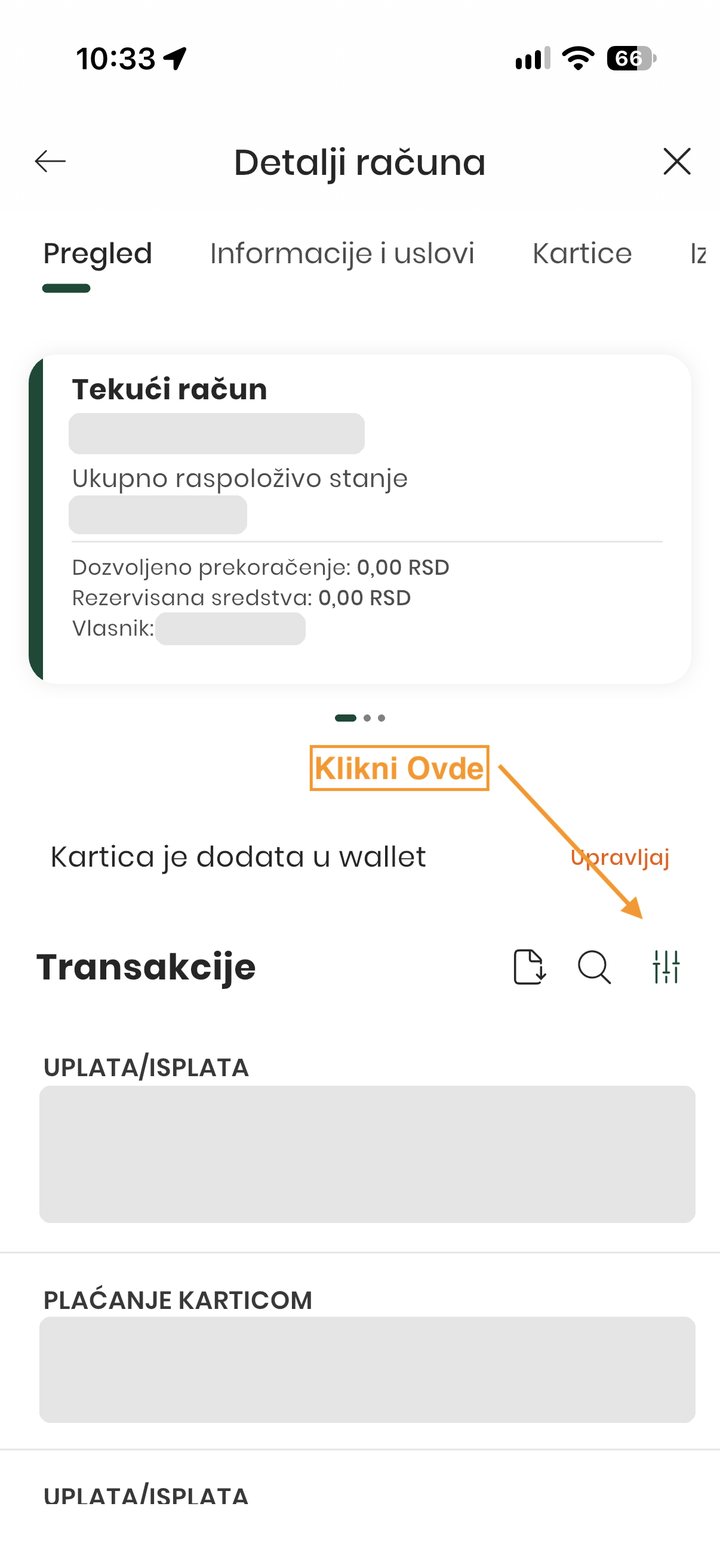
Detalji računa (account details) opens. To the right of the magnifying glass, tap the icon with sliders: the filters.
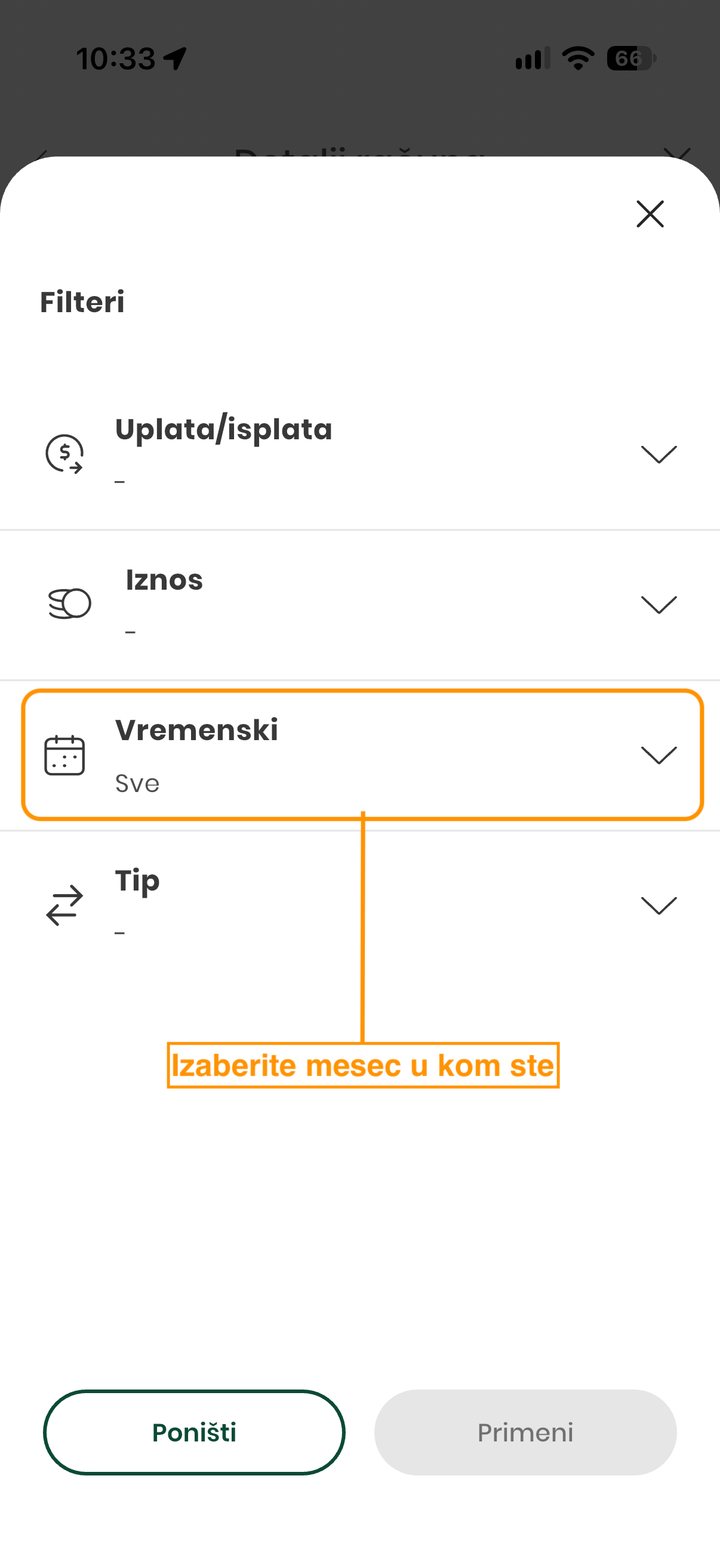
Open Vremenski (time period) and choose the period you need, for example the current month. Then tap Primeni (apply).
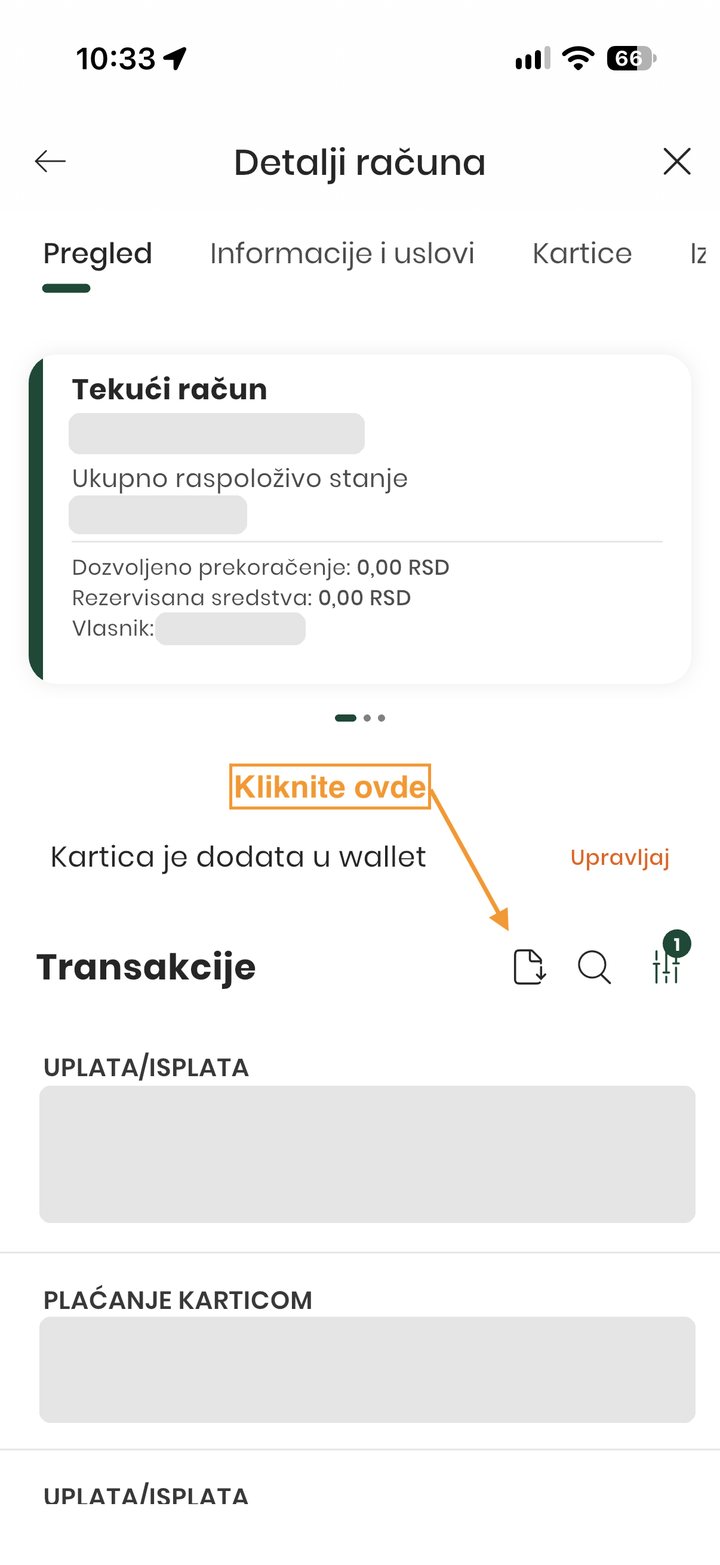
You are back on the transaction list for that period. To the left of the magnifying glass, tap the page icon with a down arrow.
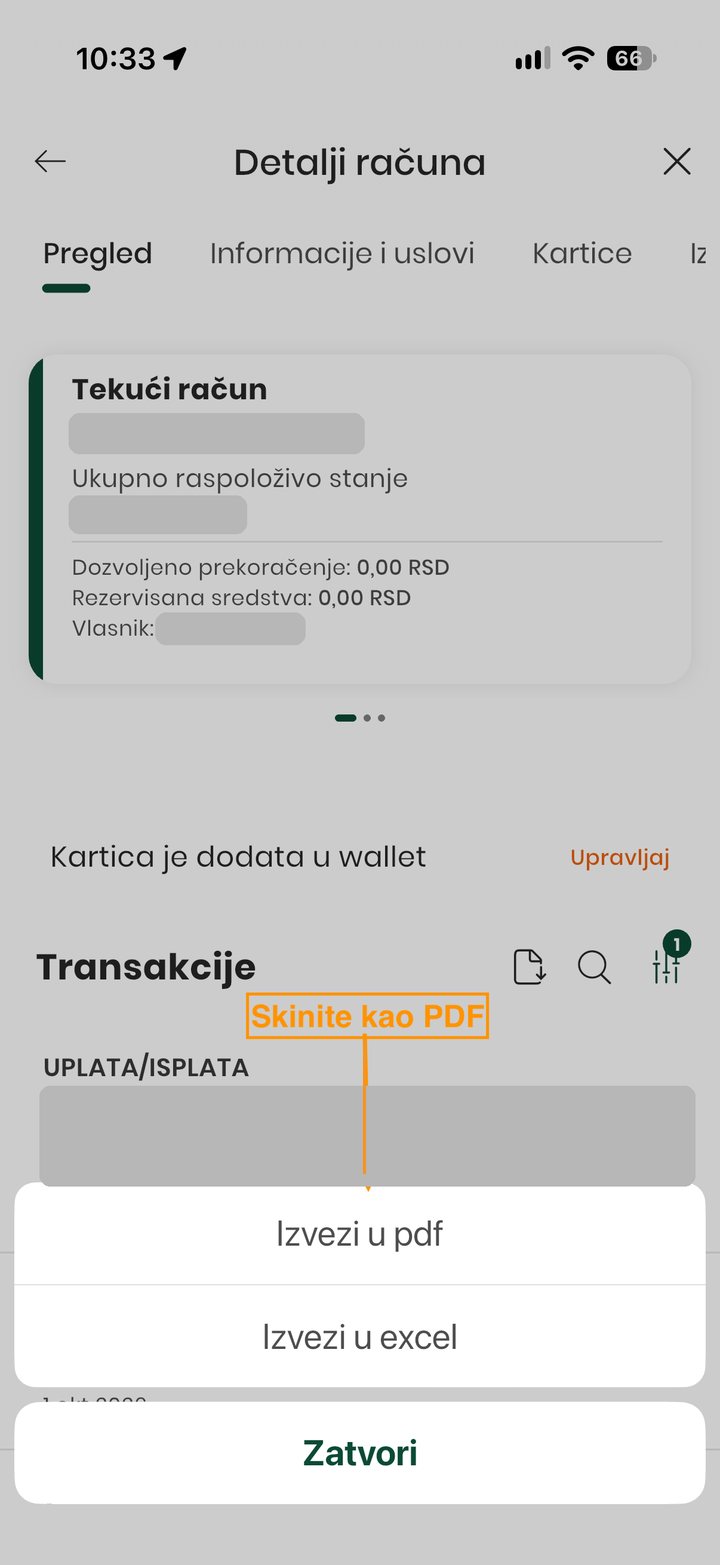
Choose Izvezi u pdf (export to PDF) and save the file to your phone. Saldo reads PDF, so skip Excel.
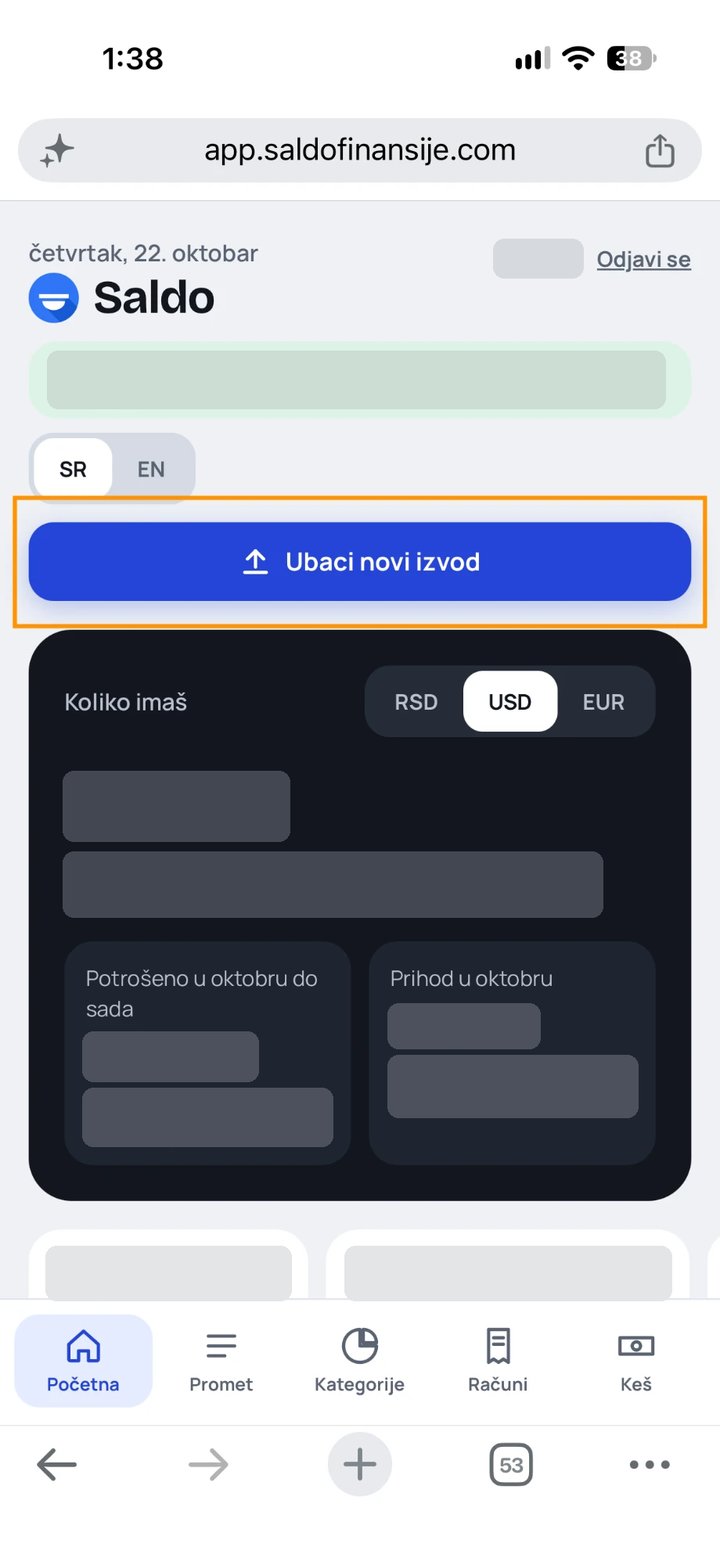
Open Saldo, and on the home screen, in the green bar at the top, tap + Upload (+ Ubaci when Saldo is in Serbian, as in the screenshot). Pick the PDF you just saved. The transactions show up straight away.